
🍪 All data is saved on your own browser and not a server.
Refreshing the page won't delete anything unless you clear browser cache/cookies/etc. If you
do, just remember to export your data and re-import after.
❗ Also, this is NOT an official Neokyo tool. It's not endorsed by Neokyo and I'm not
affiliated, but had permission to post. It's one I made to keep track of my own things i,, hope this
is ok idk it's usable if it's not lmk!! - 4th nini in discord (apothecariae)
Btw don't count on Space Used metric in parcels bc it can't play tetris u_u
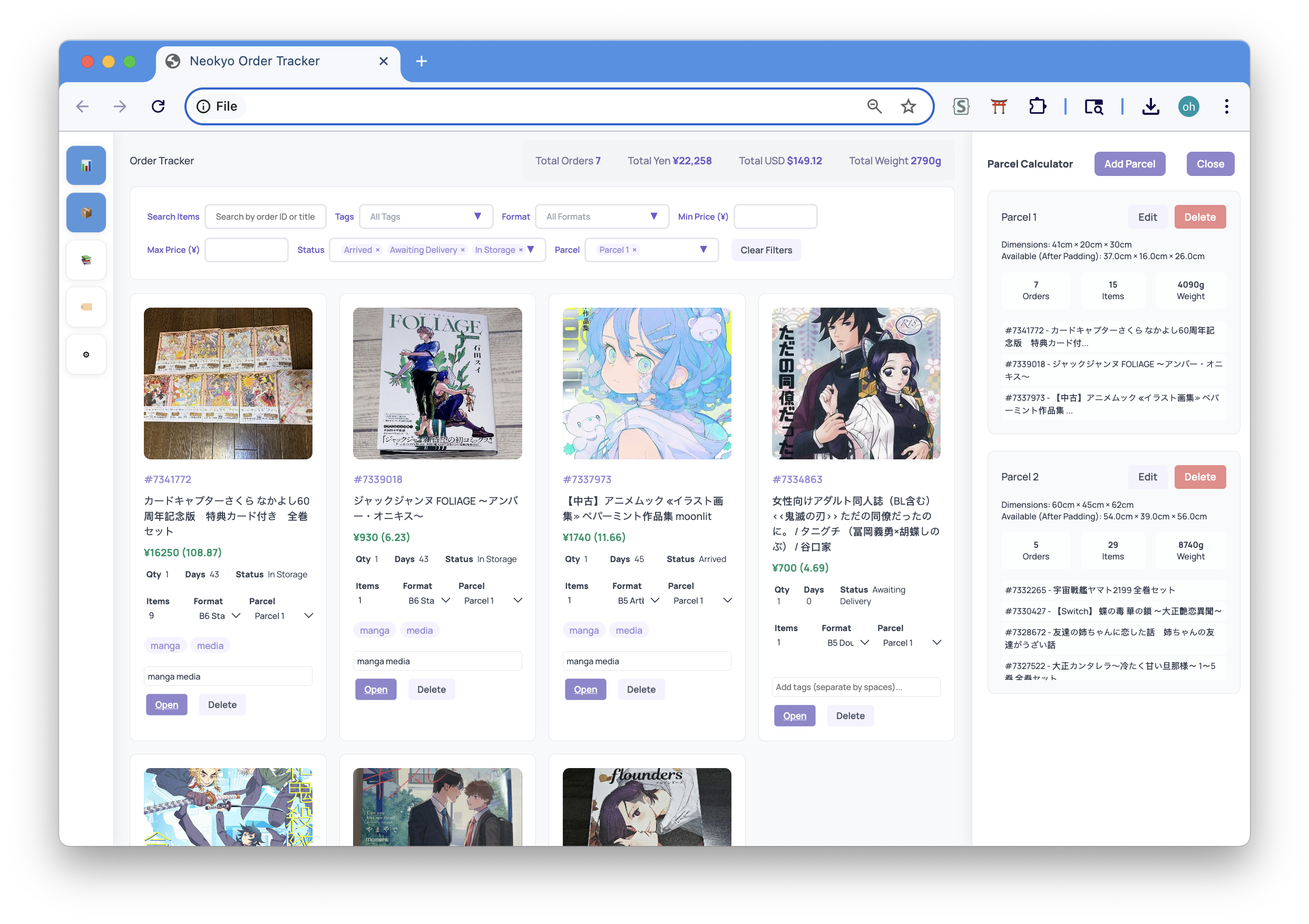
Demo/Example
You can download my Neokyo data, then import it (Import Data button above), and play
around with it.
Right click in any empty space in your orders page, and click "Inspect" / "Inspect element"
Resize your browser until you can see all four columns!
Ctrl-F (or Cmd+F), and type in portlet light
It'll highlight the line in the code window above. Click on that line, then Ctrl+C (or Cmd+F) to
copy it.
Go back to this tab, click Import HTML, and paste the code into the window.
Press Import Orders.
If you have several pages of orders, just click on the next page in Neokyo.
Click into the code window where the letters look
like this.
Then just repeat steps 4-7.
Changes
Parcel presets based on community's shipment-examples in Discord
Parcel calculator tabs - move planned parcels to shipped tab; enter in official
details + tracking URL etc. and access it from there
Currencies - can now Import HTML if your currency is set to anything beside
USD; all currencies on Neokyo supported. NOTE: If you had it in USD, this doesn't
autoconvert the prices!! You'll have to Import HTML for those pages (or for the nerds, you know
what to do w/ the exports ;-; key is still named 'usd')
Sorting in grid view - can now sort ascending/descending in the card view
Scroll horizontally in table view - overflow-x set!! amazing
Fixed misaligned table view headers - headers didn't match the rows; were off
by one. Now they do!
Removed auto-export on importing data - that was overkill, but it still remains
when you clear data
Change the tracker name - click the header at very top to rename the tracker :3
Features/Notes
Works offline - data is all stored in your browser + can be exported/imported
any time!! just dont clear ur cache before u export
Format management - create and edit item formats with real dimensions/weights
(I originally made this for manga so I kept it all in,, you can delete them!)
Tag system - add custom tags to orders and filter by them; separate each tag by
spaces
Multi-select filters - filter dropdowns are additive, so checking multiple will
show items tied to that filter condition
Batch/bulk edit mode - select multiple orders and bulk assign formats, parcels,
and tags at a time
Table editing - click cells in table view to edit inline; toggle columns on and
off via 2nd button on far bottom left corner that appears when you click Table View
Activity log - logs HTML import changes and updates. Currencies other than Yen
are not static on the Orders page - they change daily - so if it's not a significant change (ex.
50 cents or less), the original imported value remains
Note: Storage Days is useless,, I didn't add in a counter/log exact import date
so they are just... there...
Things to bother w/ later (never): width of tags col in table view, maybe smth
to save/dl images to be polite and not hotlink as if ppl still mind in twenty twenty five, UI
and reorganizing style and script sections
Click the highlighted line, then Ctrl+C (Cmd+C) to copy
Paste the code below and click Import
If you have several pages of orders, just click on the next page in Neokyo.
Click into the code window where the letters look
like this.
Then just repeat steps 4-7.
Tips
Orders are automatically deduplicated
Existing orders will be updated with new info
Sort by:
Manage Formats
Manage Tags
Edit Parcel
Basic Information
Shipping Information
Add New Parcel
Quick Presets
NOTE: These are based on common box sizes from the Neokyo community/Discord.
There may be more, and you can always edit the dimensions yourself at any time. Please always assume
that your items may not be fitted into the box you expect, this calculator is just to help you
plan/gauge!